My Favorite Retro Racing Games Running on My Distrobox
I spent the whole Sunday on this, and it was one of the most productive Sundays I’ve had in a while. The mission was specific: close the loop on the simcade racing games that are hardest to emulate, the ones I’ve wanted to run properly for years, and only now got to a reliable state.
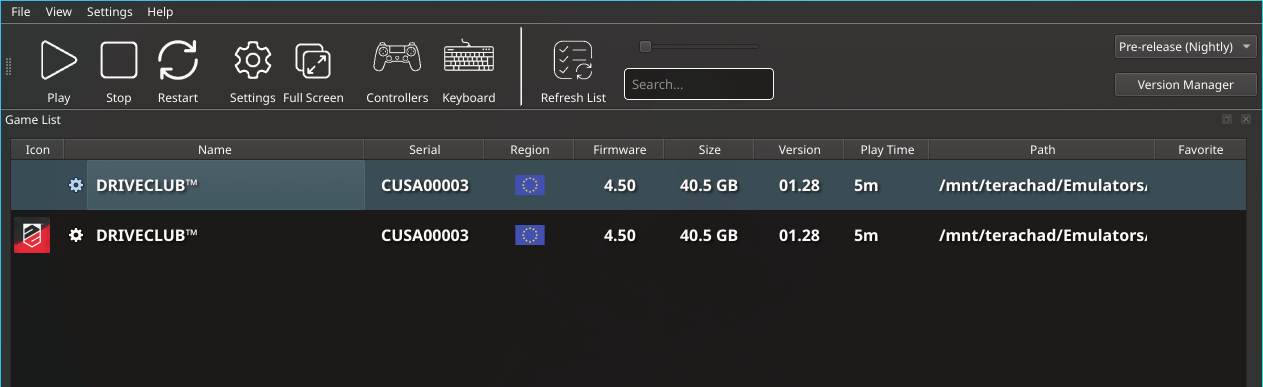
Two monsters sit at the top of that list. First, Driveclub on shadPS4. It’s a PS4 exclusive, never got a port, Evolution Studios was shut down, no remaster. To play it outside the original PS4, emulation is the only option, and PS4 emulation is still the most immature part of the ecosystem. This is by far the hardest on the list.
Second, Forza Motorsport 4 with Project Forza Plus on Xenia Canary. FM4 is the GOAT of the Xbox 360 era, Project Forza Plus is the community mod that consolidates patches and content, and getting the two to run together on Xenia with decent graphics, no audio crashes and no shadow bugs took serious hours of trial and error.
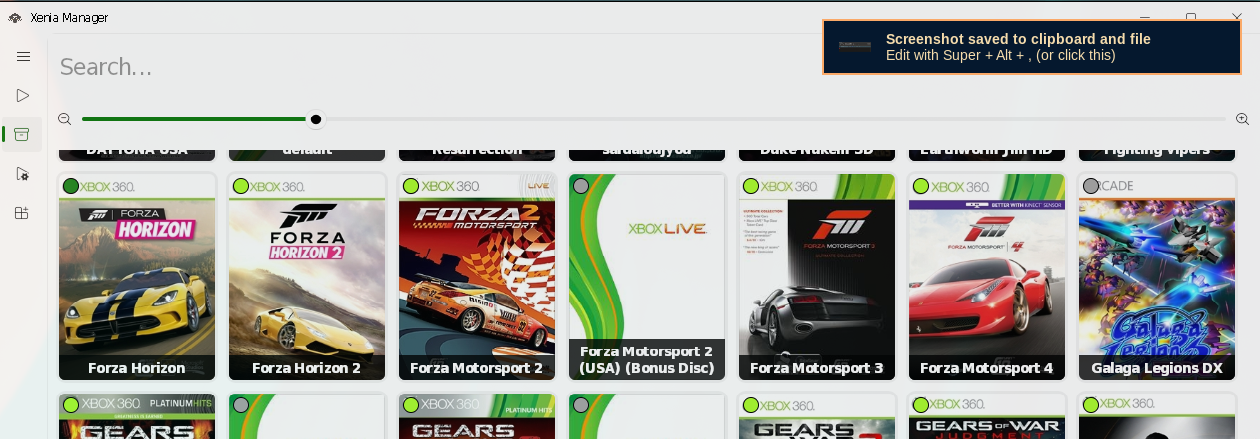
Around those two I organized the rest of what I already knew worked at some level, just needed consolidating into a reproducible setup: Gran Turismo 4 with Retexture 3.0 and HD HUD, Gran Turismo 3 with HD textures and widescreen, Gran Turismo 2 with the Spec II mod, the PS3 Gran Turismos (GT5 and GT6), Forza Horizon 1 and 2, the PGRs, Ridge Racer, Enthusia, Colin McRae. I had an idea how to make these work, I just needed a setup that doesn’t break the next time I reinstall the system.
Before the details, two things to clarify.
First, on infra: I’m not going to repeat here how the setup was built. I wrote that in detail in An Emulation Distrobox with Claude Code. Arch Linux in a distrobox with --nvidia, 17 Ansible roles, every emulator from the AUR, ES-DE as frontend, automated per-game configs, Python scripts for PS3 update checking and Xbox 360 title updates, Xenia via Wine. Go read that one. The repo is at akitaonrails/distrobox-gaming if you want to reproduce. Here I’m going to talk about the games.
Second, on taste: I like simcade racing. Gran Turismo has been my declared addiction since PS1, and I wrote about the rest in the Formula FX1 cockpit article. Direct-drive wheel, load-cell pedal, triple monitor when I’m feeling masochistic. That’s the kind of racing I like.
The warning for the “well, actually” crowd
Yes, I know iRacing and the rest of the current sims and simcades. I have 12 TB of ISOs and ROMs on the NAS, I probably have one you’d remember to mention. It’s not for lack of options that I’m focusing on emulation today.
On the new side, the games I’m genuinely anticipating: Forza Horizon 6 in Tokyo, Assetto Corsa EVO, and Assetto Corsa Rally. I’ve been playing the demos of both Assetto Corsa titles and enjoying their single-player campaigns a lot. When those ship, they’ll become my main sim rotation. This article covers a different side of the collection, pulling classics out of oblivion that still don’t have a remaster.
Today, here, I’m interested in these specific games I listed above. Period. You do what you want, I do what I want. If you want iRacing, fire up Steam and go in peace. This article is about messing with emulators, preserving old games, and pulling these gems out of oblivion on a Linux setup. If you’re here for current-sim reviews, you won’t find them.
Now to what matters.
A note on the videos: most of them have no audio because I forgot to turn on sound capture in OBS before recording and I was too lazy to re-record. Audio works perfectly on every emulator here; this is my OBS mistake, not a setup issue.
Global settings per emulator
Before the games, a quick consolidation of the global configs that apply across each emulator. This is automated in the repo, but if you’re setting up by hand, here’s the summary.
DuckStation (PS1)
- Renderer: Vulkan
- Internal Resolution Scale: 8x (8K internal, downscaled to the monitor)
- Texture Filtering: JINC2 (preserves pixel art but smooths)
- PGXP: on (fixes the typical PS1 vertex wobble)
- Widescreen Hack: on as fallback, but I prefer per-game widescreen cheats
- Aspect Ratio: 16:9 with widescreen cheat, 4:3 without
PS1 runs smoothly on DuckStation these days. It’s the most mature emulator on the list. The attention goes to per-game choices (some games need a specific widescreen cheat).
PCSX2 (PS2)
- Renderer: Vulkan
- Upscale: 4x SSAA (1440p native → 4K internal)
- Anisotropic Filtering: 16x
- Post Processing: FXAA on, PCRTC antiblur on
- Deinterlacing: Automatic (some games need override)
- Controller: Xbox-style bindings (I use an 8BitDo)
PCSX2 2.7.x is much better than the 2.6.3 still in Arch’s official repo. The AUR’s pcsx2-latest-bin tracks 2.7.x and that’s where texture replacement, modern FXAA and PCRTC antiblur live. If you’re on a different distro stuck on 2.6.3, get the official AppImage.
RPCS3 (PS3)
- Renderer: Vulkan
- Resolution Scale: 300% (generally) or native (for games with upscale issues)
- Shader Precision: Ultra
- Force High Precision Z: on
- SPU XFloat: Accurate
- Multithreaded RSX: on
- Write Color Buffers (WCB) / Read Color Buffers (RCB): off by default (GT-series safety)
RPCS3 is where the most traps are. Each game has a recommended preset in the official compatibility DB. And a heads-up: per-game configs live in ~/.config/rpcs3/custom_configs/config_<SERIAL>.yml. The config_ prefix is mandatory. It cost me time to figure out. RPCS3 silently accepts the YAML and then ignores it if the name is wrong.
Xenia Canary (Xbox 360)
- Build: Canary (
masterhas been stagnant for months, Canary is where development lives) - Renderer: Vulkan
- Render Target Path:
rtvby default,fsifor specific games (PGR4) - User Profile: created once, persists
- Wine Prefix: dedicated, managed by Xenia Manager
Xenia on Linux runs via Wine, managed by Xenia Manager. There’s no decent native build. It works well, but each game needs specific tuning, and Title Updates have to be pulled manually from archive.org (I wrote a script for that, details in the previous article).
shadPS4 (PS4)
Gets its own section at the end. TL;DR: works for some simple games, Driveclub is still a moving target. Still a shot in the dark.
PS1 on DuckStation
Gran Turismo (the first, from 1997)
This one is pure sentiment. GT1 was one of the first games I bought for the PS1 and I played it until the CD cracked. At the time, it was on another level. Real simulation on a machine with 128K of video RAM, decent physics, 140 cars when everybody else had 15, memorable soundtrack.
But let’s be honest: you can’t go back today. GT1’s physics has exaggerated drift, the car slides more than it should on any corner above 80 km/h. It’s part of the 1997 charm but gets annoying in 2026. The handling model was refined starting in GT2, and everything after only got better. Between GT1 and GT2, GT2 wins on content (650+ cars vs 140) and especially on drivability.
I keep GT1 in ES-DE to open in nostalgic moments, drive 10 minutes at Trial Mountain, and close it. For serious PS1-era gameplay, it’s GT2.
Gran Turismo 2 (Spec II Mod)
The original PS1 Gran Turismo is a historical milestone. I played a lot of it back then. To replay today? No. GT2 exists, and GT2 is superior in everything. More cars (650+), more tracks, more modes, and most importantly, a much better handling model. GT1 has that exaggerated drift where the car slides more than it should, GT2 tightened that up to something closer to what the series would become starting on PS2. Between playing GT1 or GT2, always GT2.
And the GT2 I run today is the GT2 Spec II Mod by Project A-Spec, a community project that merges the two regional variants (Arcade + Simulation) into a single game, brings back events that were cut from the final release, fixes physics bugs, adds native widescreen support, and ships quality-of-life menu updates. It’s the definitive way to play GT2 in 2026. The project doesn’t maintain its own website anymore, updates come through the author’s Twitter.
To run it:
| Setting | Value |
|---|---|
| Disc | GT2 Spec II Mod (patch applied over Simulation USA ISO) |
| Serial | SCUS-94455 |
| Widescreen cheat | On |
| 8 MB RAM cheat | On (fixes audio on crowded tracks) |
| Texture Filter | JINC2 |
| Resolution Scale | 8x |
The 8 MB RAM cheat matters for crowded tracks (Seattle in populated races for example) where audio starts clipping. It simulates the memory expansion of the Japanese version that never made it West.
Colin McRae Rally 1 and 2
Iconic PS1 games. CMR1 has that rough first-gen rally feel that has its charm. CMR2 is technically superior, better physics, more rallies, better graphics. But honestly: to play CMR2 today, it’s worth looking for the original PC version. Higher resolution, native 60fps (the PS1 version is locked to 30), direct keyboard/wheel support. Codemasters repacks exist on the internet, a 40-second search will find them. I’m not going to link them, you know where to look.
On PS1 via DuckStation they run smoothly, nostalgia guaranteed, but it’s not where I spend my time.
PS2 on PCSX2
Gran Turismo 3 A-Spec
GT3 was a generational leap. Out of the blocky PS1 world into shaders, decent environment mapping, serious polygon car models, physics that finally started to feel like actual physics. The soundtrack with Feeder’s “Just a Day” opening the game still gives me goosebumps.
The problem is that GT3 has LESS content than GT2. Polyphony was more cautious, cut modes to focus on polish. The A/B/S license tree is smaller, fewer cars, fewer tracks. But what’s there is polished.
In 2026 on PCSX2 2.7.x, GT3 looks great. Community HD textures, widescreen pnach, anti-aliasing via SSAA, 16x AF. Feels like a re-release.
| Setting | Value |
|---|---|
| Disc | GT3 A-spec (SCUS-97102) or Bundle (PBPX-95503) |
| Widescreen pnach | On |
| Retexture pack | Optional (off by default, enable if you want full HD) |
| Upscale | 4x SSAA |
| Deinterlacing | Automatic |
Caveat on the retexture pack: when enabled, some car-showcase cutscenes in the garage have momentary flicker due to NFS streaming. Doesn’t bother in-race. If it bothers you in menus, turn it off.
Reminder: for the widescreen pnach to take effect, you still need to go into the in-game options and switch the aspect ratio to 16:9. The pnach unlocks the option in the menu, it doesn’t apply automatically.
Gran Turismo 4 (Spec II Mod)
GT4 is my GOAT in the series. 700+ cars, 50+ tracks, physics still respectable by 2026 standards, and that soundtrack mixing alternative rock, Japanese lounge, and Moby’s infamous “Sail Away” on the main menu. It’s the game I poured the most hours into back in 2004, and it’s what I play the most today.
Like GT2, the GT4 I run today is not the original disc. It’s the Gran Turismo 4: Spec II maintained by TheAdmiester — a massive community mod that’s objectively the best way to play GT4 in 2026. It combines the final USA disc, the 2003 Beta prototype, and the original Japanese release into one game, restoring cut cars (including several that never left Japan), cancelled events, dozens of missing soundtrack tracks, adding 16:9 widescreen support, over 30 built-in cheats exposed as menu options (pro tuning, top speed, fuel economy), the option to switch between English and Japanese, and original bug fixes. The project is active, still gets patches, and ships its own installer that applies over a clean USA ISO.
In practice, Spec II is what GT4 should have been if Polyphony had six more months to polish. Playing it today feels like GT4 with all the content that got left out, plus modern quality-of-life. For anyone who enjoyed the original, it’s mandatory.
On top of that goes the community’s Retexture 3.0 (HD texture pack) and the HD HUD by Silentwarior112. With those three pieces together (Spec II Mod + Retexture + HD HUD), GT4 runs at 1440p SSAA on PCSX2 2.7.x with 16x AF, FXAA, and a look that’s honestly indistinguishable from a new low-poly-style release. It’s my current favorite to sit down and play long.
| Setting | Value |
|---|---|
| Disc | GT4 USA (SCUS-97328) or Spec II (SCUS-97436, CRC 4CE521F2) |
| HD HUD pack | Installed via symlink (Silentwarior112) |
| Retexture 3.0 | Installed |
| Widescreen pnach | On (renamed to Spec II CRC if using Spec II) |
| Silent’s trigger/camera patches | On |
| Deinterlace (Spec II) | Mode 8 Adaptive TFF |
| ShadeBoost (Spec II) | Saturation +10, Brightness +3, Contrast +2 |
| FXAA + PCRTC antiblur | Global |
| Upscale | 4x SSAA |
Spec II users need to pay attention to the CRC: the vanilla GT4 HD packs were built for 77E61C8A (USA), so on Spec II with CRC 4CE521F2 I symlink the assets into the CRC-suffixed folder that PCSX2 looks for. The widescreen pnach was also renamed to match the Spec II CRC. Without that, the game runs but the mods don’t load.
In-game reminders: same as GT3, the widescreen pnach only unlocks the option, you still need to enter Options in-game and switch to 16:9. And important: change the video mode to progressive 480p (also in Options). The default is interlaced 480i, which looks terrible on a modern screen. Spec II Mod has native progressive support, just flip it on.
If I could recommend a single GT in the series for someone starting today, it would be this one. If you like racing and never played GT4 in full, you’re missing out.
Enthusia Professional Racing
Enthusia is the forgotten Konami game from 2005. Launched in GT4’s shadow and died on the shelves. It’s a shame, because Enthusia’s physics was more realistic than GT4’s. Car weight, mass transfer, limit behavior, all closer to real-world behavior. The sim-racing community of the 2000s knew this and the game has a cult following today.
Enthusia’s problem was the Enthusia Points system: you earned points for driving clean, lost them for crashing, and the game’s progression depended on those points. A lot of people found it punitive. I found it perfect. It forced you to drive with your head.
On PCSX2 with retexture and widescreen, the game looks great. Strong recommendation for anyone who wants something different from Gran Turismo.
| Setting | Value |
|---|---|
| Disc | Enthusia Professional Racing (SLUS-20967) |
| Widescreen pnach | On |
| Retexture | On |
| Upscale | 4x SSAA |
Ridge Racer V
Ridge Racer is its own thing. Not simcade, pure arcade. Drift everything, cartoony grip, electronic soundtrack, saturated colors. Ridge Racer V was the Japanese PS2 launch title and it carries that “show what the console can do” vibe, with massive scenery and a sense of speed GT never attempted.
On PCSX2 it runs well, with a catch: car textures sometimes flicker on the hardware renderer (PCSX2 issues #3639 and #13729). Software renderer fixes it but kills performance. I stay on hardware and accept the occasional flicker.
| Setting | Value |
|---|---|
| Disc | Ridge Racer V (SLUS-20002) |
| Widescreen pnach | On |
| No-interlace pnach | On |
| Upscale | 4x SSAA |
Colin McRae Rally 3, 4, 5 (PS2)
PS2 Colin McRae versions run well on PCSX2 with default configs. CMR3 and CMR04 are good. CMR05 (the last before the rebrand to Dirt) is the best of the three technically. But again: if you’re on PC, look for the native version. The PS2 ports were relatively inferior to PC of the era, ran at lower resolution, and a modern PC with a repack will hit 144Hz easily.
I keep them on PCSX2 just for collection completeness.
PS3 on RPCS3
Gran Turismo 5
GT5 is controversial. Polyphony promised the world and delivered a somewhat fragmented game: gorgeous Premium models next to Standards that were basically HD GT4 cars, a level system some loved and others hated, online that went to mud when PSN service was cut, a Top Gear mode that was weird. The contemporary critical reception was mixed, and I remember entire communities fighting over whether the game was a disappointment or a masterpiece.
For me, it’s a masterpiece. GT5 has the Course Maker (design your own track from real sections), real 24h Nurburgring with dynamic weather, the Moon Rover (yes, a drive-on-the-moon mode), Red Bull X-Challenge with Vettel, and the single-player endurance experience is ridiculously big. Anyone who went deep into the game knows there’s content for a whole year.
On RPCS3 in 2026, GT5 runs really well. Stable, without the serious bugs from years past. It’s the most stable GT I have emulated today.
| Setting | Value |
|---|---|
| Serial | BCUS98114 (US) or BCES00569 (EU) |
| Resolution Scale | 300% |
| Shader Precision | Ultra |
| Force High Precision Z | On |
| SPU XFloat | Accurate |
| Multithreaded RSX | On |
| WCB / RCB | Off |
The Shader Precision Ultra + Force High Precision Z combo kills the typical RSX dithering that made GT5 look grainy on RPCS3 in years past. Without those two, asphalt looks permanently noisy. With them, the game looks clean.
Gran Turismo 6
GT6 is one of my favorites in the series. It came out in 2013 for an end-of-life PS3 while the competition was already looking at PS4. Sold poorly. A lot of people didn’t play it. That’s a shame, because GT6 took the GT5 base, cut the fat (Standards were reduced), added more Premiums, better Moon circuit sessions, dynamic weather on more tracks, physics refinement. It’s basically GT5 polished.
On content, GT6 is comparable to GT4. A lot of old-guard players put GT4 above it because of the PS2-era charm. I stay between the two and go GT6 on a normal day, GT4 on a nostalgic day.
On RPCS3, GT6 has a serious catch: patches 1.06 and beyond regress visually. Black surfaces on cars in the garage menu, flicker in cockpit view, full-screen flashing on certain tracks. The version that works well in 2026 is pinned at v1.05. The repo’s extract_ps3_dlc.py script has a per-title version ceiling specifically to pin GT6 at 1.05 even when PSN serves 1.22 as “most recent”.
Also, Force CPU Blit is mandatory. Without it, full-screen flicker in the menu. The trade-off is the rear-view mirror stays permanently black. I prefer losing the mirror to having the flicker. Anyone who wants the mirror can enable Write Color Buffers, but then resolution drops to 720p native.
| Setting | Value |
|---|---|
| Serial | BCES01893 + regional variants |
| Version pinned | v1.05 (patches 1.06+ cause black surfaces) |
| Resolution Scale | 300% (menus) or 200% (heavy gameplay) |
| Force CPU Blit | On (mandatory, kills flicker) |
| WCB | Off (trade-off: black rear mirror) |
| Shader Precision | Ultra |
In 2026, with these settings, GT6 is in my rotation. Not perfect, but playable enough that I can spend an afternoon doing endurance.
Ridge Racer 7
Ridge Racer 7 was a PS3 launch title in 2006 and the last mainline in the franchise. Arcade like Ridge Racer V, drift-first, electronic soundtrack, cinematic camera. For a PS3 of that era it was a pretty tech demo.
On RPCS3 it runs, but with caveats: requires Write Color Buffers on to avoid lighting issues, and the recommended preset in the compat DB is different from my GT preset. I use a dedicated per-game config. Not my favorite, but it’s there for completeness.
No video for this one, I’ll record later.
Xbox 360 on Xenia Canary
This is the part that caused me the most headaches this Sunday. Xbox 360 on Linux is hostile territory. Xenia runs via Wine, each game needs specific tweaks, title updates have to come from archive.org, and Forza Motorsport 4 specifically had serious problems until recently.
Forza Motorsport 4 (the GOAT)
FM4 is, for a lot of people, the best Forza Motorsport ever released. Polyphony made Gran Turismo, Turn 10 made Forza, and FM4 is the peak of the 360 era. Beautiful car models for their time, well-designed tracks, solid physics without being a hard sim, Autovista mode with Jeremy Clarkson narration, epic soundtrack, and that feeling of the Xbox 360 being pushed to its limit.
FM4 on Xenia was a nightmare until recently. Severe shadow artifacts, constant texture pop-in on the car, grainy pixelated track textures, sky brightness completely wrong (it came out white-blown-out instead of the deep blue of the original), and worst: frequent audio crashes where XMA (the Xbox 360’s proprietary codec) would freeze and the audio would turn into a high-pitched noise until the game hung. I spent hours this Sunday messing with configs, testing builds, searching the xenia-canary issue tracker, testing different title updates.
What unlocked it:
- Latest Xenia Canary build (
masteris stagnant, Canary tracks active development) - Render Target Path:
rtv(the default works fine for FM4) - Title Update 1.0.17.0 installed via Xenia Manager (version matters, older ones regress shadows)
- Vulkan GPU with NVIDIA ICD forced (on my hybrid setup with AMD iGPU, I had to hardforce the 5090)
After that, FM4 ran. Not perfectly. Still gets the occasional audio crash (xenia-canary issue #161 open). But it’s playable, and I spent two hours of the Sunday at Top Gear Test Track just admiring the Koenigsegg CCX. Worth every hour of debugging.
| Setting | Value |
|---|---|
| Build | Latest Xenia Canary |
| Render Target Path | rtv (default) |
| Title Update | 1.0.17.0 |
| Wine Prefix | dedicated via Xenia Manager |
| GPU | NVIDIA via VK_ICD_FILENAMES hardforce |
Forza Motorsport 3
FM3 is one of the solid entries in the series, sitting between FM2’s rougher charm and FM4’s technical peak. Getting it to emulate was surprisingly annoying, because I was using the wrong ISO.
There are two releases of FM3: the retail (original disc sold in stores) and the Ultimate Edition (all DLCs packaged on a second disc). I was trying to run the Ultimate, which combines both discs into a hybrid ISO that Xenia can’t parse correctly. I swapped to the standard retail + DLCs installed separately via Title Update, and bang, the game ran first try.
Moral: if your FM3 isn’t running on Xenia, check that it’s retail. Ultimate breaks.
| Setting | Value |
|---|---|
| Version | Retail (NOT Ultimate Edition) |
| Build | Latest Xenia Canary |
| Render Target Path | rtv |
| DLCs | Installed via Xenia Manager separately |
Forza Motorsport 2
FM2 is from 2007, first-gen 360. Less refined systems, more basic modeling, but that original Forza charm some prefer to FM4’s sophistication. On Xenia it ran practically out of the box. No special tweak.
| Setting | Value |
|---|---|
| Build | Xenia Canary |
| Render Target Path | default |
Forza Horizon 2
FH2 was the most polished Forza Horizon of the 360 generation (there’s also the Xbox One version, which is technically better, but the 360 has its charm because of the smaller map and more focused progression). Open world in southern Europe, iconic soundtrack, Horizon festival at its peak.
On Xenia it ran without asking for anything extra. Same as FM2.
| Setting | Value |
|---|---|
| Build | Xenia Canary |
| Render Target Path | default |
Forza Horizon 1 (with XE Mod)
Original FH1 runs OK on Xenia, but there’s a community maintaining the Forza Horizon 1 XE Mod, which improves traffic AI, rebalances progression, adds cars that were cut, fixes known bugs, and brings quality-of-life tweaks to the UI. I tested the XE Mod this Sunday and it’s worth it. The game feels more alive and progression feels fairer.
Install details for the XE Mod are on the project site. Basically it’s a patch over the original ISO + a few custom title updates.
For comparison, here’s FH1 without the mod, running vanilla:
The most visible difference is traffic and the variety of situations that come up, but the XE Mod has a lot of stuff you only notice after a few hours.
| Setting | Value |
|---|---|
| Build | Xenia Canary |
| XE Mod | Applied over original ISO |
| Title Updates | Version pinned by XE Mod |
Project Gotham Racing 3 and 4
PGR3 was a 360 launch title in 2005 and still looks gorgeous today. Urban tracks (New York, Tokyo, Nurburgring, Las Vegas), kudos system, cinematic camera. PGR4 added dynamic weather (rain and snow) and motorcycles (some people love them, I prefer to pretend they don’t exist).
PGR3 on Xenia Canary runs reasonably well with default configs. PGR4 needs a specific tweak: render_target_path_vulkan = "fsi" in the config. Without it, some tracks break with severe visual artifacts (green bars across the screen in snow races).
And PGR4 on NVIDIA has a known audio bug: XMA decoding produces intermittent garbage (open xenia-canary issue, no resolution). Not game-breaking, but annoying.
| Game | Relevant setting |
|---|---|
| PGR3 | Default |
| PGR4 | render_target_path_vulkan = "fsi", accept the XMA audio bug |
Ridge Racer 6
Ridge Racer 6 was the Ridge Racer of the 360, skipping the 7 that stayed on PS3. Pure arcade, like Ridge Racer V of the PS2. On Xenia Canary it runs with default config, no special tweak. Fun for short sessions. No video for this one in the article, but it’s in the catalog running.
PS4 on shadPS4: the state of the emulator
shadPS4 still doesn’t have a stable release. The project is under active development, the main branch changes several times a week, and “what works today” can regress on a rebase tomorrow. That said, many games already boot and run well enough. The community list is on the compatibility tracker and grows every week.
The difference between shadPS4 and the other emulators in this article is the kind of effort. PCSX2, RPCS3, Xenia are mature projects where each game has a reasonably up-to-date wiki page. shadPS4 is the opposite: you read a Reddit guide, try to reproduce, discover the guide uses a specific fork (not the official main), or a two-month-old commit, or a firmware with sys_modules symlinked in a particular way, or XML patches applied in a specific order that the author didn’t document. Reproducing a shadPS4 setup from a YouTube video is like trying to solve a Rubik’s Cube blindfolded.
But that doesn’t mean you shouldn’t try. It means you need to treat shadPS4 as a hobby, not a workflow. And if you have the patience, you can pull off impressive results.
Driveclub: the impossible, finally possible
Driveclub is my Moby Dick of emulation. It’s the only PS4 game I really want to run. Released in 2014 by Evolution Studios, had a catastrophic launch (online servers collapsed on day one), got patched over two years until it became one of the best racing games of the generation, and was discontinued by Sony when Evolution was closed in 2016. No PC port. No remaster. No sequel. Only exists on PS4.
And today, after many hours of debugging, it’s running here. Main menu loads, intro plays, races start, controller responds, audio works, daytime tracks visible, night tracks with headlights lighting the road. The video above is real gameplay, stable 30 FPS, v1.28 with DLC content accessible.
Getting here required dismantling several traps. Worth documenting, because most online guides don’t mention any of them.
Trap 1: the FMOD loop error that wasn’t FMOD
When you try to boot Driveclub on shadPS4 straight from the retail PKG, the log hits an infinite loop of:
/app0/audio/fmodstudio/masterbank.bank failed, file does not existThe first reaction is to investigate FMOD. Some people online spent hours messing with sceFont, libtbb, sceNgs2, convinced it was an audio or HLE lib problem. None of that is the cause. The masterbank.bank file literally doesn’t exist on disk, because it’s packed inside the gameNNN.dat files in a custom Evolution Studios archive format that shadPS4’s VFS can’t read. Same story for fonts, models, shaders. All the game’s content lives inside the .dat files.
The only public tool that parses that format is Nenkai’s DriveClubFS. It’s a .NET app that reads game.ndx (the index) and decompresses the .dat files into loose files. Without that unpack, shadPS4 can’t open anything.
Build detail: the DriveClubFS project targets net9.0, and Arch has net8 and net10. You need to retarget the csproj to net10.0 before building. The exact command is documented in the repo’s docs/driveclub-shadps4.md.
Trap 2: v1.28 is a patch, not a base installer
Like every PS4 update, v1.28 is a patch that layers on top of a base install. The v1.28 PKG ships the updated eboot, new-content .dat files, and patch content (sce_sys/about/right.sprx), but no param.sfo, no disc_info.dat, no keystone. Those metadata files live in the v1.00 base — on a real PS4 they’d already be on disk from the original install.
And there’s more: v1.28’s game.ndx references both the base .dat files and the new ones. Running DriveClubFS against v1.28 alone makes the index point at files that aren’t there.
The cruelest symptom hits later: the game boots, the Qt Launcher shows the tile, you click, the loading screen comes up. Then the game decides no content “has been released yet” and asks you to download. Download obviously isn’t happening because PSN for PS4 isn’t accessible. You get stuck thinking it’s a network bug, when actually it’s missing metadata.
The correct flow is to treat v1.28 as an overlay on top of the base. First, extract the v1.00 PKG into a dedicated dir (CUSA00003.v100-working-backup/ works well, and doubles as a rollback snapshot if some experiment breaks the live install). Then extract v1.28 into staging and symlink the base’s low-index .dat files into the staging dir so DriveClubFS sees the full set. Run the unpack. You get 8018 loose files, ~47 GB.
Move that into the live CUSA00003/ dir, copy v1.28’s updated eboot and new patch content on top, then pull param.sfo, disc_info.dat, and keystone from the v1.00 base. The base’s param.sfo already has APP_VER = 01.28 recorded (because it was the version that received the patch originally), so there’s no version conflict. The v1.28 eboot reads those files and unlocks the content.
Trap 3: the 60fps XML patch produces slow-motion
There’s a community Driveclub.xml patch that makes the game render at 60fps. Intuitively, it looks like pure upside. In practice, the patch rewrites the render rate but doesn’t touch the game’s fixed logic tickrate, which is locked at 30fps. On a real PS4 Pro, the hardware reconciles the mismatch. On shadPS4, it doesn’t.
Result: the game renders smoothly at 60fps, but the physics, AI, audio, race timing all run in slow motion. You press the throttle and the car takes a perceptible two seconds to launch. Looks like a random bug until you understand the mismatch.
Disabling the XML patch is the move (just rename the file to something like .disabled). Without the patch, the game runs at native 30 FPS, same speed as a stock PS4 base. Which is what we want. If someone in the future produces a patch that moves both rates (render + logic), we’ll flip it back on.
Trap 4: pipeline cache has to be on
shadPS4’s default ships with pipeline_cache_enabled = false. On a large game like Driveclub, which has hundreds of Vulkan shaders and pipelines, that means every cold launch recompiles everything. My first launch counted ~864 shaders and ~590 pipelines being compiled in real time. The menu animated at 2-3 fps. A minute later, with everything compiled, it snapped to normal fluidity. Next launch, same from-scratch compilation cycle.
Just enable "pipeline_cache_enabled": true in the global config.json. The first session pays the one-time compilation cost, subsequent sessions read from cache and start up instantly.
Trap 5: TOML silently ignored
shadPS4 migrated from TOML to JSON for per-game configs in late 2025. If you have an old CUSA00003.toml in the custom_configs/ folder, it’s silently ignored, no warning in the log. You think your config is active, in reality you’re running all defaults.
Delete any TOML and use CUSA00003.json. The per-game configs that work for Driveclub are specific and detailed, all documented in the docs/driveclub-shadps4.md of the repo.
Trap 6: controller not detected without hidapi hints
shadPS4’s Qt Launcher calls an internal Shadps4-sdl.AppImage. Without specific SDL hidapi env vars, the controller (8BitDo Ultimate 2 in my case) isn’t detected, even though it works in every other emulator. The fix is to wrap the AppImage in a shell that exports SDL_JOYSTICK_HIDAPI=1 and platform-specific variants (PS4, PS5, Xbox), before executing the original.
Plugging the controller in before opening the Qt Launcher also helps. Hot-plug works during the game, not before.
Trap 7: night tracks are pitch black on upstream
This one needed a code patch, not just config. On upstream shadPS4, Driveclub night tracks came out pitch black. The HUD rendered on top, but the track, the car, everything hidden in absolute black. Not even the car’s own headlights lit anything up.
Investigation pointed at the log repeating 1325 times the message ResolveDepthOverlap: Unimplemented depth overlap copy. The cause: Driveclub uses a forward+ renderer, which writes scene depth into a 4x MSAA D32Sfloat buffer, then reads that same buffer as R32G32B32A32Sfloat 1x for effects like SSAO, volumetrics, and dynamic lighting (headlights). shadPS4 upstream has a path for MSAA → MSAA and for color → color as MSAA depth, but it didn’t have a path for “MSAA depth 4x becomes color 1x” in that specific format. It falls into the final else, frees the buffer, and the shader reads uninitialized memory — i.e., black.
I implemented in my local shadPS4 fork a ReinterpretMsDepthAsColor symmetric to the existing ReinterpretColorAsMsDepth. It’s a tiny fragment shader (ms_depth_to_color.frag) that does texelFetch of sample 0’s depth and writes it as vec4(depth, 0, 0, 1) to the color attachment. Plus a BlitHelper helper and a new else if branch in TextureCache::ResolveDepthOverlap. With that, night tracks light up properly, opponent headlights appear, AO and volumetrics on day scenes get more precise too.
The fix lives on a gamma-debug branch of my fork, ready to become an upstream PR. Until it merges, anyone who wants to race at night on Driveclub on shadPS4 needs to build from that branch. Anyone sticking to daytime can use upstream nightly directly.
What finally worked
| Component | Value |
|---|---|
| shadPS4 | Upstream Pre-release (nightly) for daytime; gamma-debug fork for night (until MSAA depth fix lands upstream) |
| Driveclub | v1.28 base (cumulative patch, ~47 GB, 8018 files) |
| Extraction | ShadPKG → DriveClubFS (retargeted to net10.0) |
| Metadata | Restore param.sfo, disc_info.dat, keystone from the v1.00 PKG |
| Global config | pipeline_cache_enabled: true, readbacks_mode: 0 |
| Per-game config | JSON at custom_configs/CUSA00003.json |
vblank_frequency | 60 |
gpu_id | 0 (NVIDIA dGPU hardforced) |
Driveclub.xml patch | Disabled (60fps produces slow-motion, root cause: fixed logic tickrate) |
| Controller | AppImage wrapper with SDL_JOYSTICK_HIDAPI=1 + variants |
| Qt Launcher | checkForUpdates=false to avoid GitHub rate-limit dialog |
All of this is encapsulated in docs/driveclub-shadps4.md in the repo, with the exact step-by-step for extraction, config, and wrapper. The full technical investigation (5 phases, detailed engineering log) lives in the fork’s driveclub-v128-investigation.md.
How playable it is today
Good. The video above is real gameplay, stable 30 FPS, physics responding, audio in sync, HUD correct, v1.28 with DLC accessible. Day races and night races both work (with the MSAA depth fork for night). What’s left as limitation:
- Daytime brightness sits a bit below what the PS4 delivered. Not an emulator bug. I spent hours testing tonemap, auto-exposure, gamma curves, ACES, various post-processing shaders, and in the end discovered the game writes already-correct SDR to the framebuffer. What was missing was the display-calibration pipeline that PS4 firmware 4.0+ applied on the outside, and that Linux doesn’t have. The in-game brightness slider (which on shadPS4 maps to
sceVideoOutAdjustColor) works, but only up to the point where the game expected the firmware to pick up the rest. The 5-second dim at the start of a race is also the game’s own cinematic fade-in VFX, not an emulator fault. Accepted. - Native 30 FPS. No viable 60fps patch (due to the fixed logic tickrate explained above). Stock PS4 speed.
- MSAA depth fix still on the fork. PR candidate ready, awaiting upstream merge.
“Achievement Unlocked”. The game runs, with sound, controller, gameplay, day and night, and I complete a whole race without crashing. That’s a personal milestone. I spent years trying to get this game running on Linux and would always hit a point where I just gave up. Now it’s part of my ES-DE, shortcut on the desktop, sitting there waiting for me to play.
If you want to replicate, the repo is public. Good luck. You’re going to need patience.
“Achievement Unlocked”
I’ve been trying to make these games work, at some level, since each respective emulator came out of alpha. I’ve been running GT2 since ePSXe. I’ve been messing with GT4 since PCSX2 0.9.6. I tried to get FM4 running on Xenia twice in past years and gave up both times. And I looked at shadPS4’s face three times before this Sunday and swallowed hard.
Today it closed. The two monsters that opened this article (Driveclub on shadPS4 and FM4 with Project Forza Plus on Xenia) are running, along with the rest of the Gran Turismo, Forza, Ridge Racer, Colin McRae, and Enthusia collection. All in a single setup, reproducible, automated. I’m now part of the very small group of people who brute-forced their way into emulating Driveclub on Linux, and that alone made the Sunday unforgettable.
The frustration of years wasn’t lack of information. It was the OPPOSITE. Too much information, poorly indexed, scattered across dead forums, YouTube videos that went stale, Reddit threads with solutions for two-year-old emulator versions that don’t apply today, wikis that are out of date on half the pages, and mods with VERY specific requirements of CRC, version, patch, path, setting. Every time I sat down to get one of these games running right, I spent three hours reading conflicting material before writing the first line of config. Worse still when the good material was buried under wrong diagnoses, like the Driveclub FMOD loop everyone investigated as if it was an audio problem when in reality it was Evolution Studios’ proprietary archive format.
What changed in the last year is that Claude Code can be my aggregator. I tell Claude to hit the Xenia issue tracker, the PCSX2 wiki, the RPCS3 subreddit, shadPS4 PRs, cross-reference all that info with the emulator version I have installed, cross-reference with the logs I’m looking at, and give me back the combination that works today. It reads source code when needed, understands why Force CPU Blit changes behavior on GT6, finds which FM4 title update was the one that fixed the shadow bug, discovers that DriveClubFS needs a retarget to .NET 10 before compiling. What used to take three weekends of research now takes an afternoon of assisted execution.
This Sunday is the consolidated result of all that work. distrobox-gaming is that knowledge turned into code, reproducible, automated. Starting on a fresh machine, one ansible-playbook site.yml puts me back in this state in under two hours. Fewer than 10 commands separate “vanilla Arch Linux” from “Driveclub running”.
If anyone wants to contribute, test on different hardware, report a bug, or send a config that’s missing, the repo is open. The more people test on different setups, the more resilient the project gets. If you improve the Driveclub situation (get the MSAA depth fix merged upstream, a 60fps patch that also fixes the logic tickrate, font dumps that don’t need jailbroken hardware), send a PR and I’ll embrace it.
For now, I’m going to do a race in Iceland on Driveclub. Good Sunday night.