Review: Minisforum MS-S1 Max | AMD AI Max+ 395 with 96GB of VRAM
If you’ve been following my home server posts, you know I used to run everything on an Intel NUC Core i7 with 32GB of RAM. It worked. But as open source AI models grew, the NUC became the bottleneck. Without a dedicated GPU, any LLM inference would fall back to the CPU and turn unusable.
I bought a Minisforum MS-S1 Max with the new AMD Ryzen AI Max+ 395 chip for one specific reason: this chip supports up to 128GB of unified RAM, and I can allocate 96GB of it as VRAM for the iGPU. That gives me more VRAM than any consumer gaming card, including the RTX 5090 (32GB). And that changes what I can run locally.
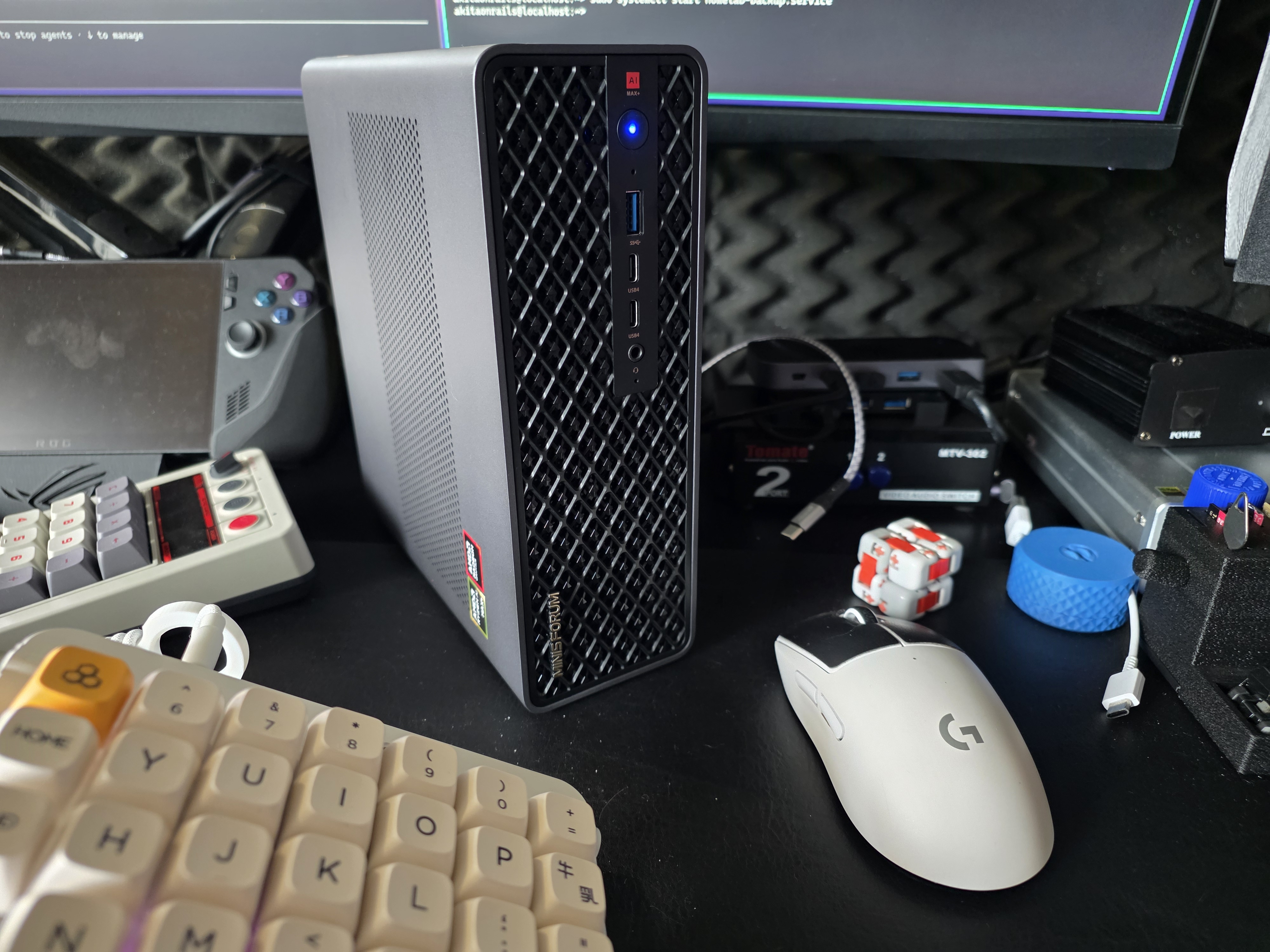
Why ditch the Intel NUC
The NUC was a fine Docker server for two years. But the limitation was clear: without a GPU with enough VRAM, I couldn’t run LLMs locally in any usable way. Frank Yomik, my automatic manga translation system, needed CPU-based OCR (slow) and would connect remotely to the Ollama running on my desktop (AMD 7950X3D + RTX 5090) for translation. It worked, but it meant my desktop had to be on for the server to do its job.
With the Minisforum, Frank Yomik now runs entirely on the server. The worker uses ROCm for OCR on the iGPU, and Ollama runs locally with 96GB of VRAM. Zero dependency on the desktop.
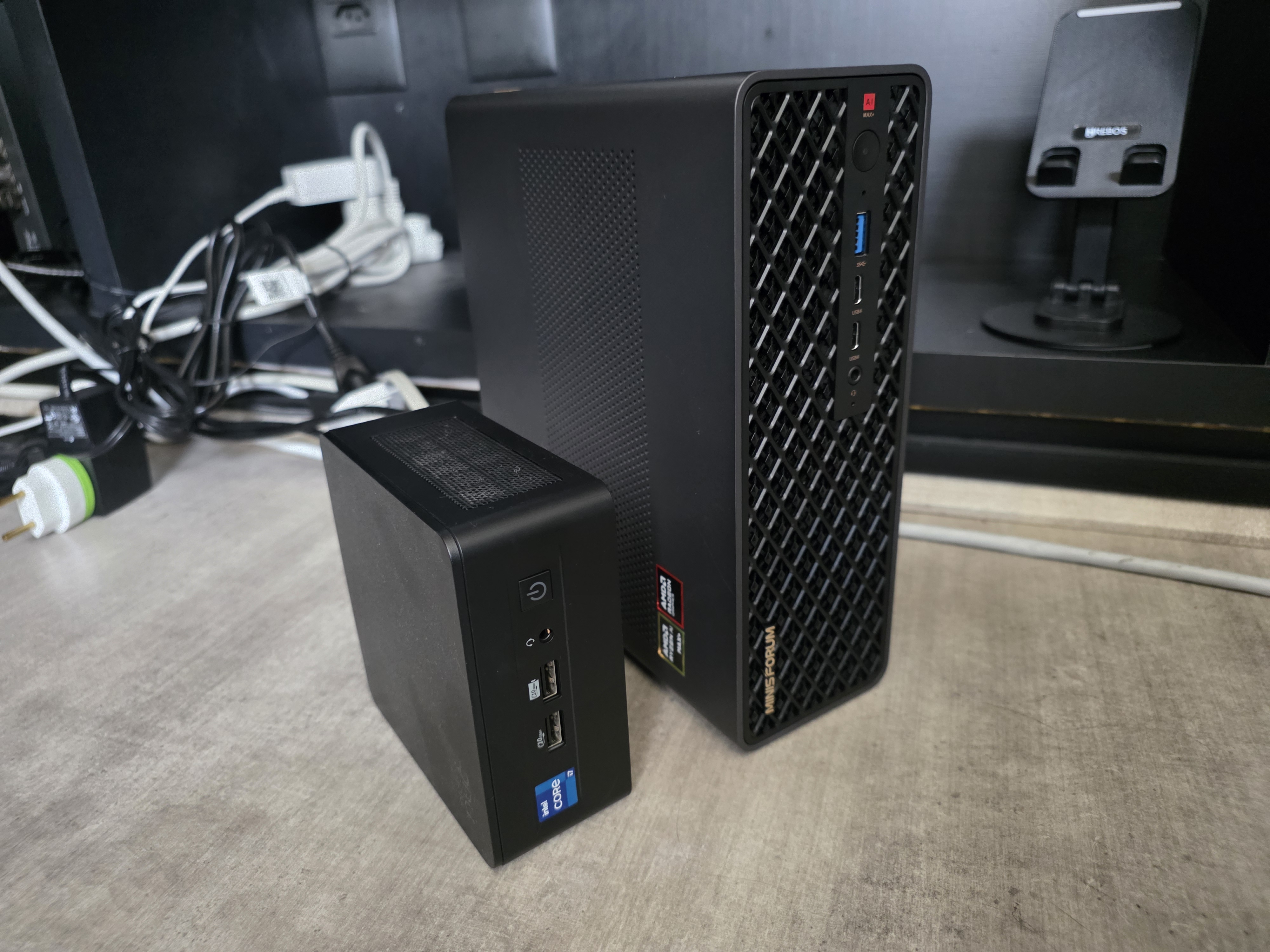
You can get a sense of the size from the photo. The NUC is the tiny cube on the left. The Minisforum is bigger but it’s still a mini-PC. It fits on the rack shelf under my Synology NAS without any trouble.
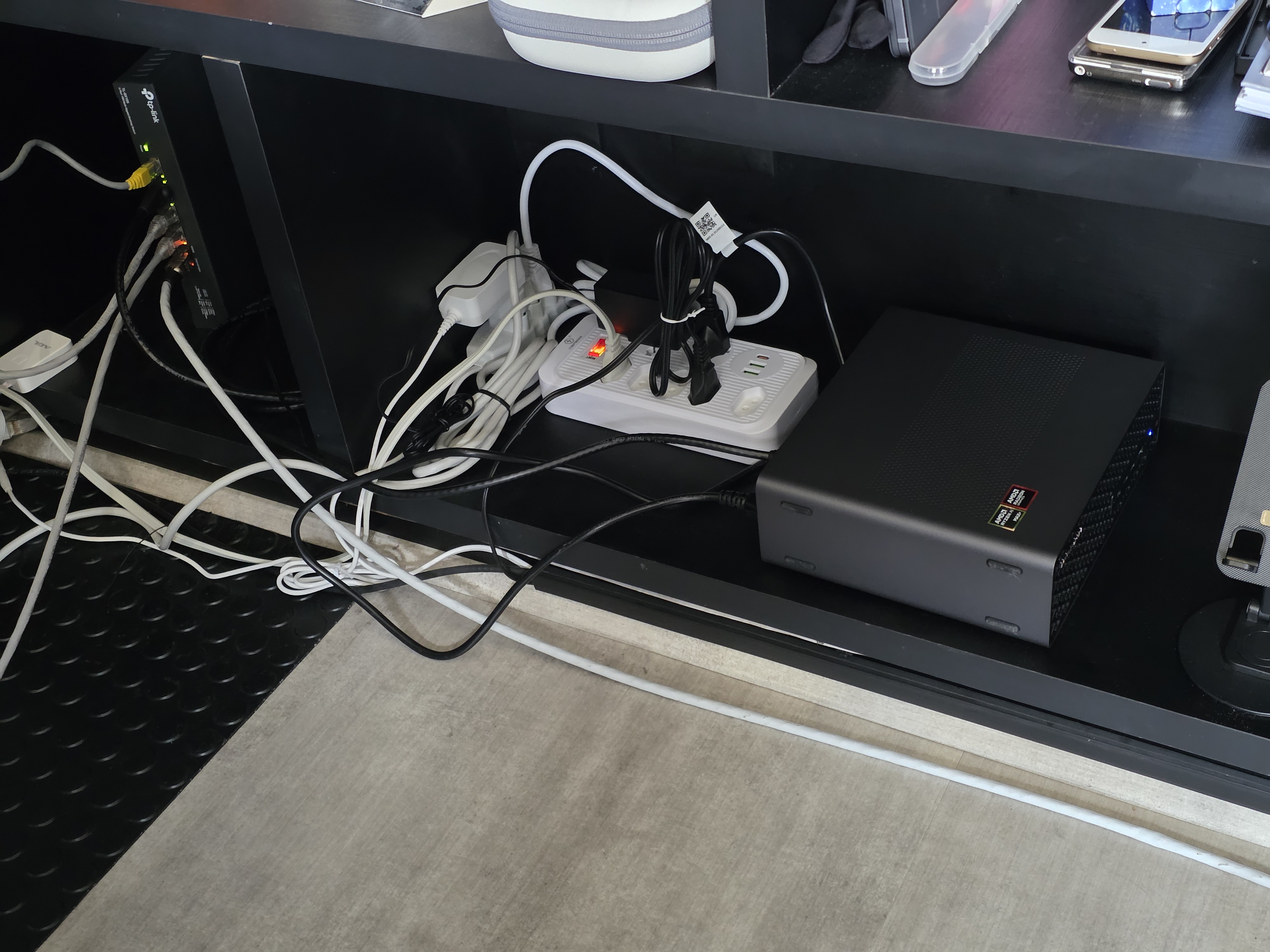
The specs
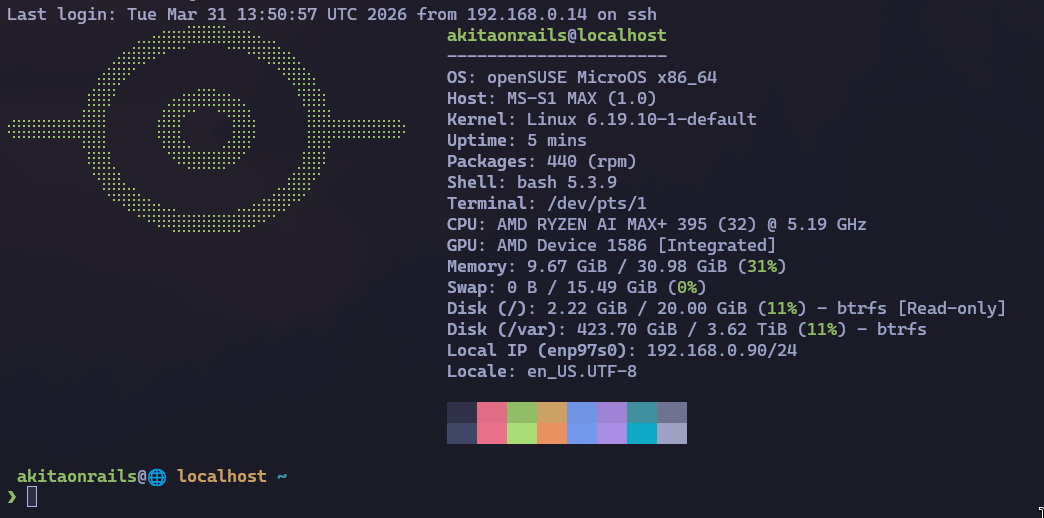
The chip is the AMD Ryzen AI Max+ 395: 16 cores / 32 threads Zen 5, with an integrated Radeon 8060S iGPU and 128GB of unified LPDDR5X. In the BIOS, I set the UMA Frame Buffer Size to 96GB, which leaves ~30GB of RAM for the operating system and containers. Plus the kernel parameters for TTM (without them, ROCm only sees 15.5GB even with the BIOS allocation in place).
The operating system is openSUSE MicroOS (more on that in the next post). The whole machine pulls under 100W, which is absurd if you’re used to dedicated GPUs that draw 450W+ on their own.
Minisforum vs my desktop: benchmarks
I ran a set of benchmarks comparing the Minisforum against my desktop (AMD 7950X3D, 96GB DDR5, RTX 5090 32GB GDDR7). The results are clear.
CPU
| Test | 7950X3D | AI Max+ 395 | Winner |
|---|---|---|---|
| Prime sieve (single-core) | 0.021s | 0.018s | Strix Halo +14% |
| Float pi (single-core) | 1.335s | 1.706s | 7950X3D +28% |
| Multi-core sieve (32 threads) | 0.181s | 0.118s | Strix Halo +53% |
| SHA-256 throughput | 2.714 MB/s | 2.488 MB/s | 7950X3D +9% |
| AES-256-CBC throughput | 1.613 MB/s | 1.410 MB/s | 7950X3D +14% |
Mixed results. The AI Max+ 395 is better at pure parallelism (multi-core sieve), probably thanks to lower latency in the unified memory architecture. The 7950X3D wins at float and crypto because of its higher clocks and the 3D V-Cache.
LLM inference (models that fit on both)
This is where it gets interesting. For models that fit in the 32GB of the RTX 5090, the comparison is purely about memory bandwidth:
| Model | Size | RTX 5090 (tok/s) | Strix Halo (tok/s) | 5090 advantage |
|---|---|---|---|---|
| phi4 | 9.1 GB | 155.1 | 23.2 | 6.7x |
| qwen3:14b | 9.3 GB | 138.9 | 22.6 | 6.1x |
| phi4-reasoning | 11.1 GB | 130.2 | 19.1 | 6.8x |
| qwen3:32b | 20.2 GB | 66.9 | 10.0 | 6.7x |
The RTX 5090 is ~7x faster. The explanation is simple: GDDR7 has ~1,792 GB/s of bandwidth. LPDDR5X has ~256 GB/s. The ratio (7x) lines up almost exactly with the measured speed difference (6.7x). LLM inference is a problem dominated by memory bandwidth. Whoever reads weights faster, generates tokens faster.
And what about prompt processing?
| Model | RTX 5090 (tok/s) | Strix Halo (tok/s) | 5090 advantage |
|---|---|---|---|
| phi4 | ~1,933 | ~212 | 9.1x |
| qwen3:14b | ~1,474 | ~155 | 9.5x |
| qwen3:32b | ~767 | ~68 | 11.3x |
Prompt processing is even worse: 7-11x slower. That makes sense, because the prompt has to be processed in full before generating the first token, and it’s an even more bandwidth-intensive operation.
Where the Strix Halo wins: large models
Now we get to the reason I bought this PC. Models that don’t fit in the RTX 5090:
| Model | Size | Strix Halo (tok/s) | Notes |
|---|---|---|---|
| gpt-oss:20b | 13.8 GB MXFP4 | 48.9 | MoE, faster than expected |
| qwen3.5:35b | 23.9 GB | 43.2 | MoE, only ~4B active params |
| qwen3-coder-next | 51.7 GB | 29.5 | MoE, 50GB+ |
| qwen3.5:122b | 81.4 GB Q4_K_M | 19.2 | 122B params, MoE |
| glm-4.7-flash:bf16 | 59.9 GB | 17.9 | Full precision bf16 |
| qwen2.5:72b | 47.4 GB Q4_K_M | 4.5 | Dense 72B, bandwidth-limited |
qwen3.5:122b with 81GB of weights running at 19 tok/s. On a mini-PC. That’s simply not possible on an RTX 5090. On the NVIDIA card, that model would have to offload layers to system RAM, dropping to 2-3 tok/s. In practice, unusable.
The difference between MoE and dense models is brutal. qwen3.5:35b runs at 43 tok/s because, despite having 35B total parameters, only ~4B are active per token. A dense 72B model like qwen2.5:72b has to read 40GB+ of weights per token, and at 256 GB/s of bandwidth, the theoretical maximum is ~6.7 tok/s. The 4.5 measured represent ~67% efficiency, which is what you’d expect for an iGPU (overhead from shared bus and drivers).
Summary: when to use which machine
| Use case | Best machine |
|---|---|
| Interactive chat/coding (models <32GB) | RTX 5090 (6-7x faster) |
| Large models (50GB+) | Strix Halo (only option) |
| Dense 70B+ models | Strix Halo (only option) |
| Full-precision bf16 | Strix Halo (only option) |
| Batch processing with long context | Strix Halo (more VRAM for KV cache) |
| API serving with low latency | RTX 5090 (sub-150ms TTFT) |
A ROCm bug that’s still around
Not everything works. Models like deepseek-r1:70b, llama3.3:70b and llama4:scout crash with a ggml bug (GGML_ASSERT(ggml_nbytes(src0) <= INT_MAX) failed). The embedding tensor of these models exceeds 2GB and the ROCm copy kernel uses a 32-bit integer for the size. On CUDA (NVIDIA) it’s already been fixed, but on ROCm it hasn’t. Waiting for the fix in Ollama 0.20.0+.
LPDDR5X vs GDDR7: why this difference exists
The next question is: why is LPDDR5X so much slower?
GDDR7 is dedicated GPU memory. It’s soldered onto the graphics card, connected by a wide bus (384 or 512 bits on the RTX 5090) at high clocks. Its only job is to feed data to the GPU. LPDDR5X is unified memory that serves everything: the operating system, applications, and the GPU all at once. The bus is narrower and shared.
In practice: GDDR7 delivers ~1,792 GB/s dedicated to the GPU. LPDDR5X delivers ~256 GB/s that still need to be split between CPU and GPU. LLM inference is basically “read all the model weights from memory, multiply by the current token, generate the next token, repeat.” Whoever reads faster, generates faster. There’s no shortcut.
The Strix Halo’s advantage isn’t speed. It’s capacity. 96GB of VRAM in a 100W chip that costs a fraction of a professional GPU. The RTX 5090 is 7x faster, but it’s stuck at 32GB. Models that don’t fit, don’t run.
The alternatives: who else does this?
If 96GB isn’t enough or you want more speed, the options are limited.
The Framework Desktop uses the same AI Max+ 395 chip with up to 128GB of RAM. Same platform, same performance, but with the differential of being modular and repairable (it’s Framework, after all). In practice it’s equivalent to the Minisforum on specs and price.
Above that, the alternative is a Mac Studio with M3 Ultra. The M3 Ultra chip supports up to 512GB of unified memory, with ~819 GB/s of bandwidth (more than 3x the Strix Halo). Apple manufactures the memory chips on the package, so latency and bandwidth are superior. You could potentially allocate ~400GB as VRAM and run models that don’t fit anywhere outside of professional GPU servers.
Apple’s internal NVMe is also another level: ~7.4 GB/s of sequential read on the M3 Ultra, compared with ~14 GB/s on the Crucial T700 (PCIe 5.0). The T700 is faster on raw throughput, but Apple’s NVMe latency tends to be lower on random I/O thanks to the SoC integration.
| Spec | Minisforum MS-S1 Max | Mac Studio M3 Ultra (max) |
|---|---|---|
| Max RAM | 128 GB LPDDR5X | 512 GB unified |
| Allocatable VRAM | ~96 GB | ~400 GB |
| Memory bandwidth | ~256 GB/s | ~819 GB/s |
| CPU | Zen 5, 16C/32T | Apple M3 Ultra, 32C |
| GPU compute | ROCm (gfx1151, experimental) | Metal (mlx, mature) |
| Power draw | ~100W | ~135W |
| NVMe | PCIe 5.0 (standard slot) | Custom Apple (~7.4 GB/s) |
| Price (US) | ~$1,500-2,000 | ~$9,999 (512GB config) |
| Estimated price (Brazil) | ~R$ 12,000-15,000 | ~R$ 110,000+ (imported) |
The Brazilian price is the elephant in the room. The Mac Studio’s max config costs $9,999 in the US. With import taxes (~60% + state ICMS), it goes past R$ 110,000. The Minisforum with 128GB lands at R$ 12,000-15,000. A nearly 8x price gap buys you a lot.
If you need more than 96GB of VRAM for truly enormous models (DeepSeek-V3 with 671B parameters fits in ~400GB Q4, for example), the Mac Studio with 512GB is the only consumer option. The alternative would be professional NVIDIA A6000 GPUs (48GB VRAM, ~$6,000 each, and you’d need several in NVLink). For everything that fits in 96GB, the Minisforum gets the job done at a fraction of the cost.
And projects that promise to run big LLMs on small GPUs?
There’s a concept called “layer offloading” that projects like llama.cpp already support. The idea: if the model doesn’t fit fully in VRAM, keep some layers on the GPU and the rest in system RAM. The GPU processes the layers it has, hands off to the CPU to process the rest, and back.
In practice, it doesn’t work well. The bottleneck is PCIe: transfer speed between system RAM and GPU VRAM is ~32 GB/s (PCIe 5.0 x16). Each generated token needs to transfer data back and forth. The result is that you drop from 150 tok/s (everything in VRAM) to 2-8 tok/s (partial offload). It’s too slow for interactive use.
VRAM is the fundamental limitation because LLM inference is memory-bandwidth-bound, not compute-bound. The GPU has compute to spare. What’s missing is the ability to read the model weights fast enough. When part of the weights live in system RAM through PCIe, the entire pipeline waits on the transfer.
That’s why unified memory (like in the Strix Halo or Apple Silicon) makes a difference. There’s no PCIe in the middle. CPU and GPU access the same physical memory. The Strix Halo’s 256 GB/s is slow compared to GDDR7, but it’s 8x faster than offloading through PCIe.
Advances in LLM optimization (up to 2026)
To understand why some models run so much better than others on the Strix Halo, you have to understand what’s changed in the ecosystem over the last two years.
Mixture of Experts (MoE)
If you run local models, MoE is the advance that matters most. An MoE model has high total parameters (e.g. 122B in qwen3.5:122b), but only activates a fraction of them per token (e.g. ~4B). The inactive weights stay in VRAM but aren’t read on every token, which drastically reduces the bandwidth needed.
In the Strix Halo benchmarks, MoE models run 3-10x faster than dense models of the same size. qwen3.5:35b (MoE, ~4B active) runs at 43 tok/s while qwen2.5:72b (dense, 72B active) runs at 4.5 tok/s.
DeepSeek and training optimization
DeepSeek V3 (December 2024) showed that it was possible to train 671B parameter models at a cost an order of magnitude lower than predicted. They combined MoE with FP8 quantization during training (not just inference), multi-stage training with curriculum learning, and several inter-GPU communication optimizations. The impact: everyone copied. Qwen, GLM, MiniMax, all of them adopted variations of the technique.
Quantization: from FP16 to Q4 without losing much
Quantization compresses model weights from 16 bits (FP16) to smaller formats: 8 bits (Q8), 4 bits (Q4), or even 2 bits. A 70B model that would take ~140GB in FP16 fits in ~40GB at Q4_K_M. Quality loss exists, but in modern formats (GGUF Q4_K_M, AWQ, EXL2) it’s small enough for practical use.
GGUF (the llama.cpp format) became the standard for local inference. AWQ and GPTQ are alternatives with more sophisticated calibration, but the ecosystem converged on GGUF because it works on CPU, CUDA and ROCm without recompilation.
Distillation: smaller models that know more
Distillation is training a small model using the responses of a large model as the teacher. Microsoft’s Phi-4 (14B) was trained with distillation from GPT-4 and competes with 70B models on several benchmarks. Qwen3 did the same: qwen3:14b is surprisingly capable for its size.
Flash Attention and optimized KV Cache
Flash Attention (Tri Dao, 2022) changed how attention is computed: instead of materializing the full attention matrix in memory, it processes in blocks keeping the data in the GPU’s on-chip SRAM, reducing memory consumption from O(n²) to O(n). Without that, contexts of 128K+ tokens would be impractical. It already went through versions 2 and 3, with optimizations for FP8 and async operations on H100. PagedAttention (vLLM, UC Berkeley) did the same for the KV cache during serving: applies virtual memory concepts to the cache, eliminating fragmentation and improving throughput by 2-4x.
In Ollama, I set OLLAMA_FLASH_ATTENTION=1 and OLLAMA_KV_CACHE_TYPE=q8_0 on the server. The first activates flash attention, the second uses 8-bit KV cache instead of fp16, cutting the bandwidth needed per token in half. These are zero-hardware-cost optimizations that improve throughput measurably.
What Qwen, Kimi, MiniMax and GLM are doing
Qwen (Alibaba) has consistently been the best price/performance in open source models. Qwen3:14b is dense and strong; Qwen3.5:122b is MoE and runs surprisingly well in 96GB. GLM-4.7 (Zhipu AI) is notable for offering bf16 full precision versions that fit in 96GB. MiniMax experimented with long contexts (up to 4M tokens). Kimi (Moonshot AI) focused on large context windows with linear architectures.
What runs well in 96GB of VRAM
With 96GB on the Strix Halo, the models that work well for daily use:
| Model | Size | tok/s | Use |
|---|---|---|---|
| qwen3.5:35b | 24 GB | 43.2 | General purpose, excellent |
| qwen3-coder-next | 52 GB | 29.5 | Code, MoE |
| qwen3.5:122b | 81 GB | 19.2 | Heavy but usable |
| glm-4.7-flash:bf16 | 60 GB | 17.9 | Full precision |
| qwen2.5-coder:32b | 20 GB | 10.2 | Code, dense |
| deepseek-r1:32b | 20 GB | 7.4 | Reasoning |
Dense 70B+ models (deepseek-r1:70b, llama3.3:70b) are still blocked by the ROCm bug I mentioned. When it gets fixed, they should run at ~4-6 tok/s, usable for batch but not for interactive chat.
Conclusion
I bought the Minisforum to run models that don’t fit in any gaming GPU. For that, it works. It’s not fast. 19 tok/s on a 122B model isn’t the experience you get with Claude or ChatGPT. But it’s local, it’s private, and it runs on my shelf consuming less power than an old lightbulb.
For people asking about the Mac Studio: if you have the budget, it’s the best machine for running local LLMs. 512GB of unified memory, 819 GB/s of bandwidth, mature Metal/mlx ecosystem. You can run DeepSeek-V3 in full Q4. But in Brazil, with import duties, it crosses R$ 110k. The Minisforum with 128GB at R$ 12-15k is the realistic option.
And for people who think you can work around the VRAM limitation with layer offloading: you can’t. PCIe is too slow. The model has to fit fully in VRAM for inference to be usable. It’s the reason gaming GPUs with 32GB of ultra-fast GDDR7 are still capped on model size, and why the unified memory of the Strix Halo and Apple Silicon changed the equation.
In the next post I tell the story of how I migrated the entire home server to the Minisforum using Claude Code, the problems I ran into, and how openSUSE MicroOS behaves as a Docker server operating system.