AI 3D: Can You Actually Model 3D With Prompts Now?
A few days ago I wrote a post about using Blender with local AIs through Blender MCP. The conclusion was that quality was bad.
I jumped to that conclusion too early. Open source options still vary a lot in quality, most aren’t great, but the commercial options are very good and quite stable. I’m not going to list everything out there, so here are my two YouTube channel recommendations to stay up to date:
In practice, there are several ComfyUI workflows to play with, like this tutorial showing how to use the recently released Trellis2 model from Microsoft. It doesn’t work perfectly like in the video every time. It depends heavily on the image you feed it. In my tests I only got deformed “blobs”.
But on the commercial side, there are 3 tools worth signing up for:
- Hunyuan Global, by Tencent. There’s the Chinese platform - which is more complete - and the global English version which is more limited. With it you can create 3D models from images with exceptional quality.
- Hitem3D - competes with Hunyuan, also excellent for generating 3D models from images. Worth testing both because depending on the images you feed them, one may turn out better than the other.
- Yvo3D - one of the pricier ones, but specifically for generating high-quality textures, it seems to be the best by far.
There are plenty of other platforms and to stay current there’s the site Top3D.ai with a ranking of the best tools. Most of them usually have free plans, trials, or similar, so it’s worth testing as many as you can. The pricing isn’t “expensive” if you’re a professional using this for client work. It’s only expensive for guys like me, who use it as a hobby.
Some others worth testing are Hyper3D Rodin, Tripo AI, Prism, and SAM 3D. The YouTube channels I recommended have videos about them, so at least go watch those.
The Ace Up the Sleeve: Nano Banana
The big trick for any platform, open source or commercial, is starting with high-quality images. Images from Google Images, or your badly taken photos, will always result in bad 3D models.
To clean up images, the easiest way is to go to Google Nano Banana. It’s by far the best AI platform for editing and generating images.
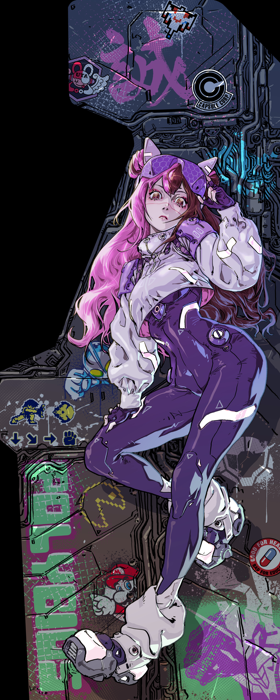
As an example, I decided to start from an image my girlfriend commissioned from an artist on Fiverr that we turned into stickers for our arcade. This image:
The first thing I asked Nano Banana was to remove the background and isolate just the character. It’s the kind of thing that used to require Photoshop. Look how it turns out now:
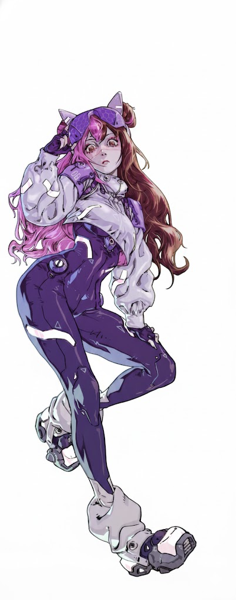
(ignore that it’s mirrored, I was too lazy to grab the right image.)
Anyway, that’s still not enough to generate 3D. Specifically for generating character models, the ideal is to have images in “T-Pose”, meaning the person standing upright with arms spread out like Jesus. And having photos from exactly the front, back, left, and right.
And you can ask Nano Banana to do exactly that: “generate a front photo of this character in T-Pose, for 3D modeling” and it generates this:
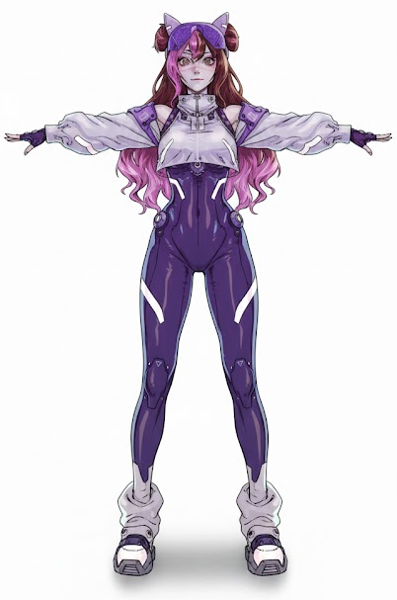
Half the job is done at this step. Without this you can’t generate good models. Now just ask it to generate the other angles, like the back:
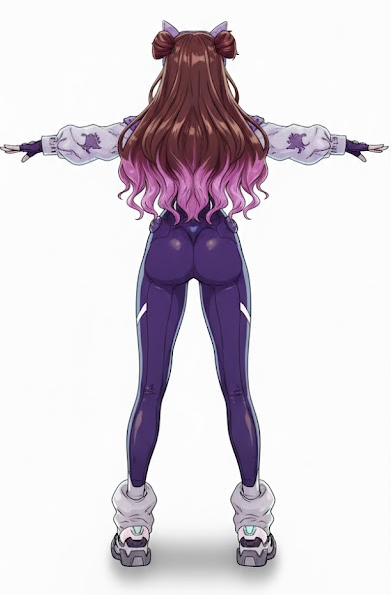
Same thing, images from the left angle, the right, and done. At least 4 consistent, coherent, clean images.
Hunyuan Global
Now comes the simple part. Just pick Hunyuan or Hitem3D. In this case, I picked Hunyuan:
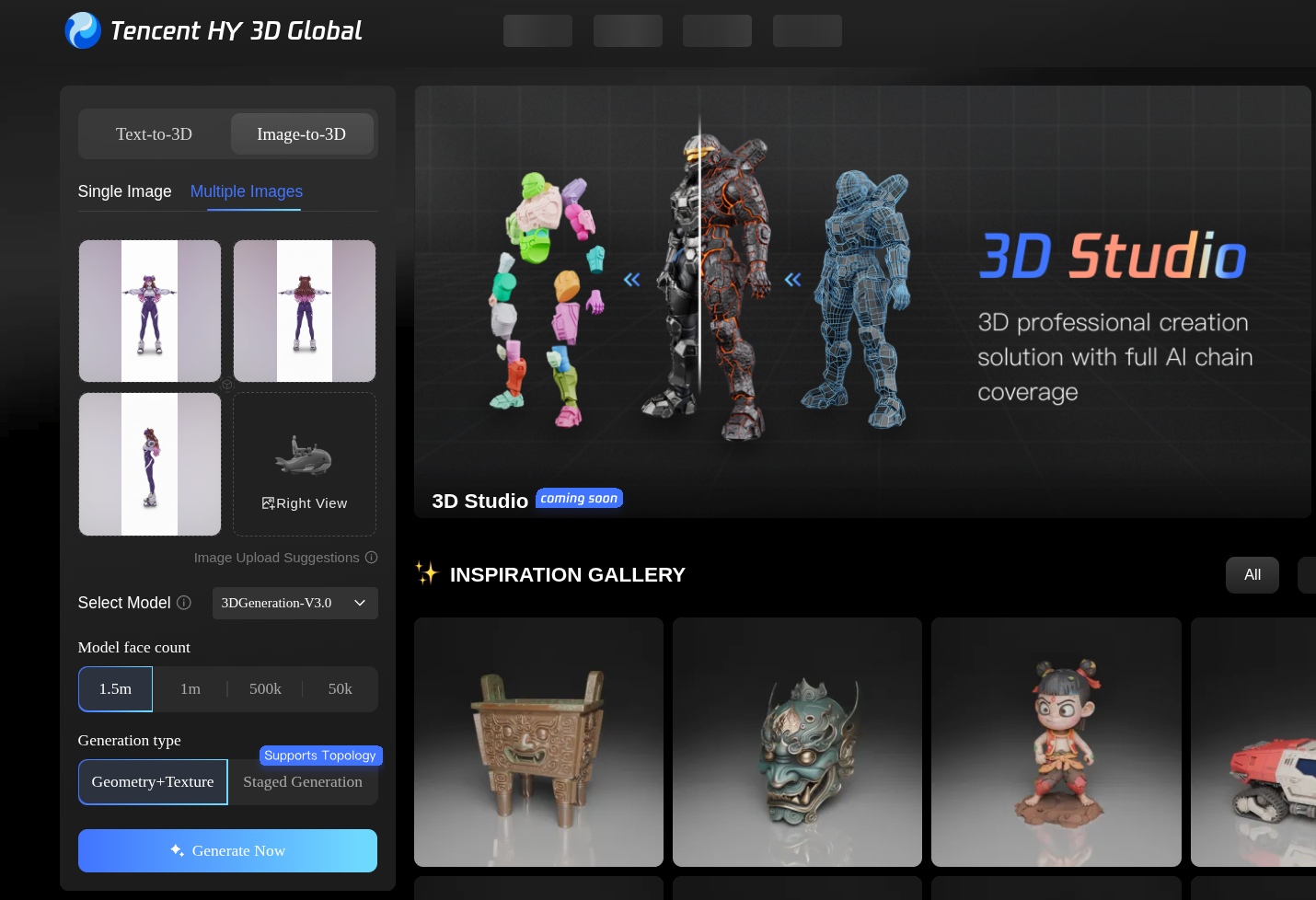
Just pick the new 3.0 version model and generate with 1.5 million polygons (yes, it’s quite heavy, but you can just remesh afterwards) and optionally generate textures (knowing upfront that Hunyuan isn’t great with textures).
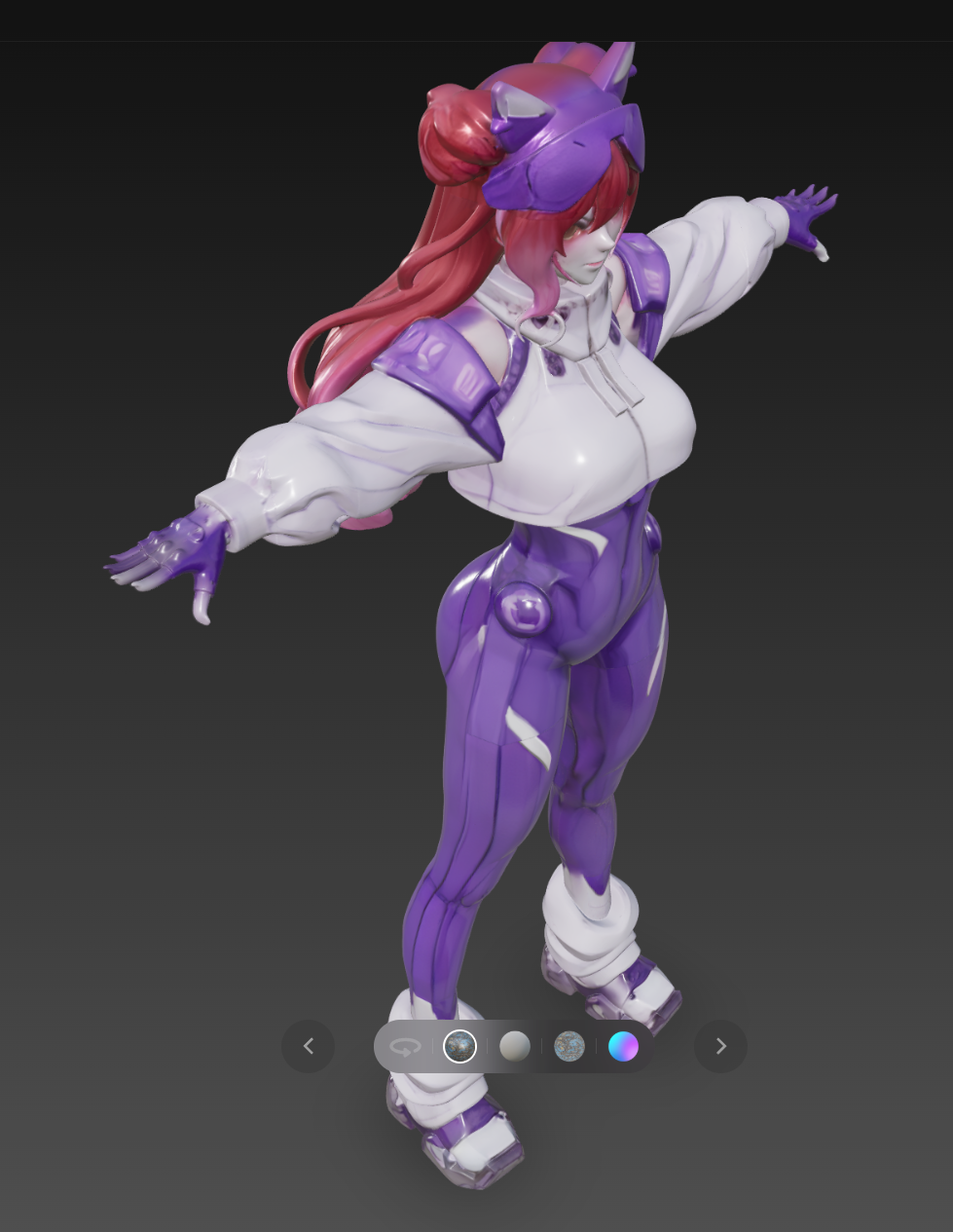
And look at the result. Perfect! As is, it’s already usable. Like I said, it’s not great with textures, but since my goal for this test was to print on my 3D printer, I didn’t worry about textures.
Opening it in Blender, I can apply a remesh modifier to lower the polygon resolution and convert everything into quads, and it ends up like this:
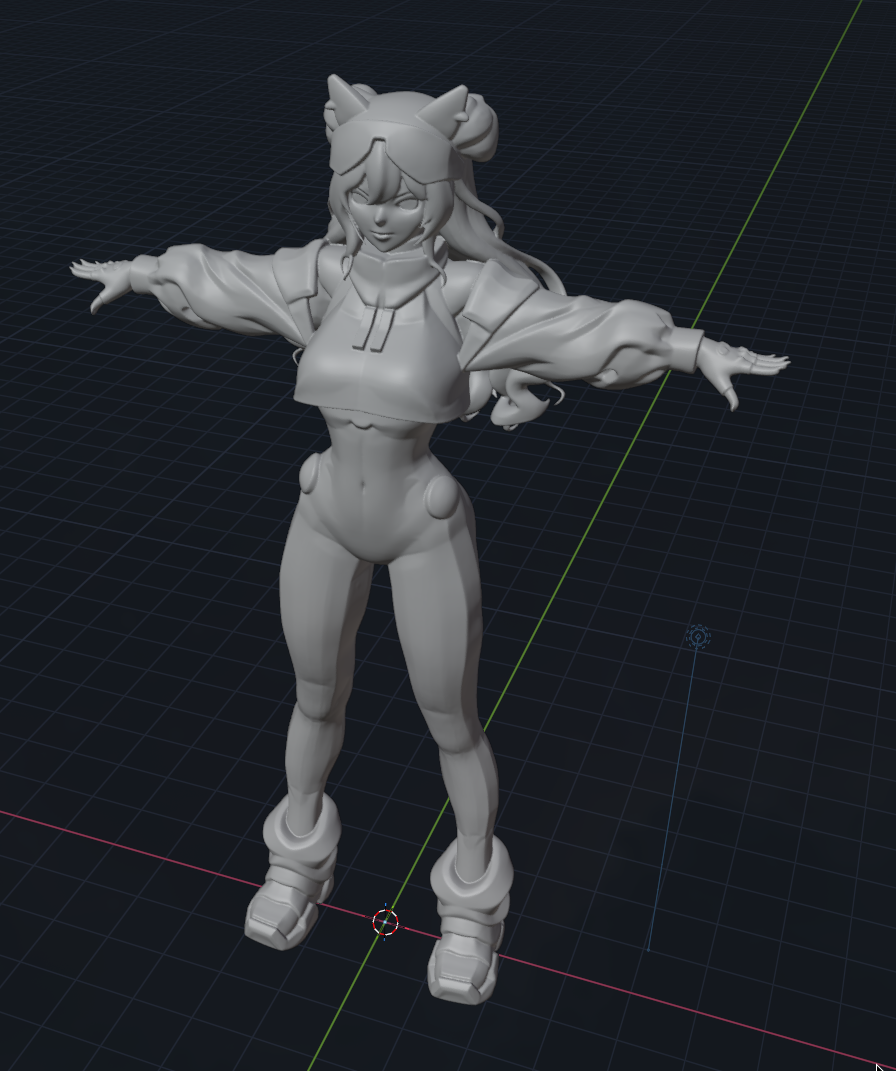
And right off the bat I tried to print it and out it came:
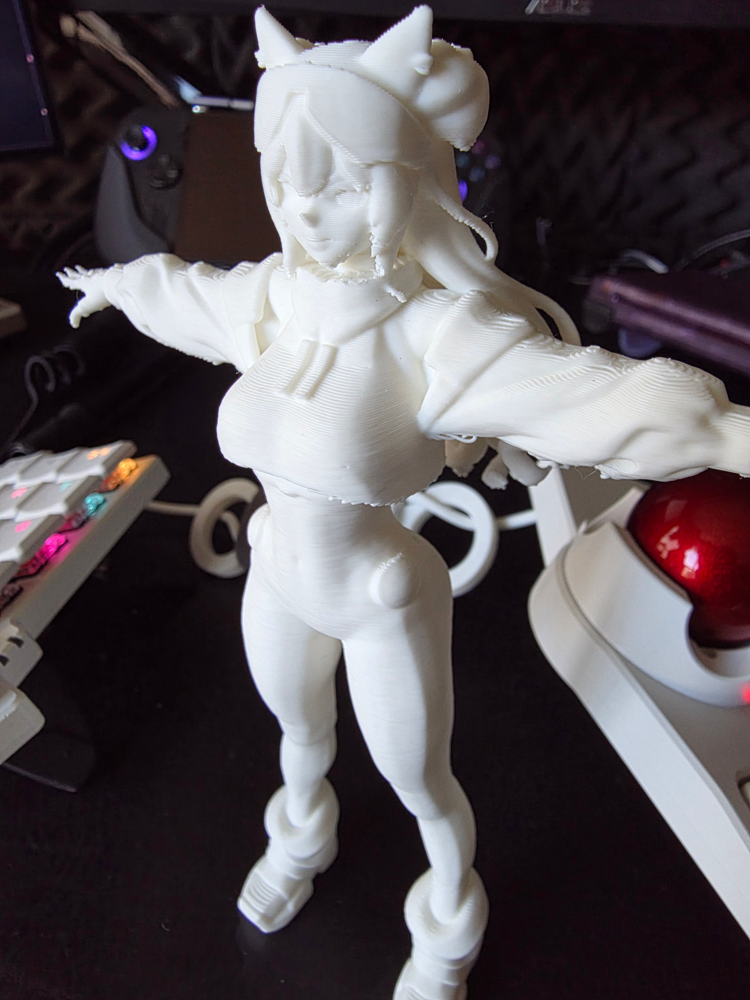
I was particularly impressed by the details: nothing crooked, nothing out of place, hands with 5 fingers, correct proportions, perfect face details, perfect hair.
Think about this: I went from nothing, to AI, to a physical 3D print!
And now that I have this model, I can send it to Adobe Mixamo, which is an online tool to reuse pre-made poses.
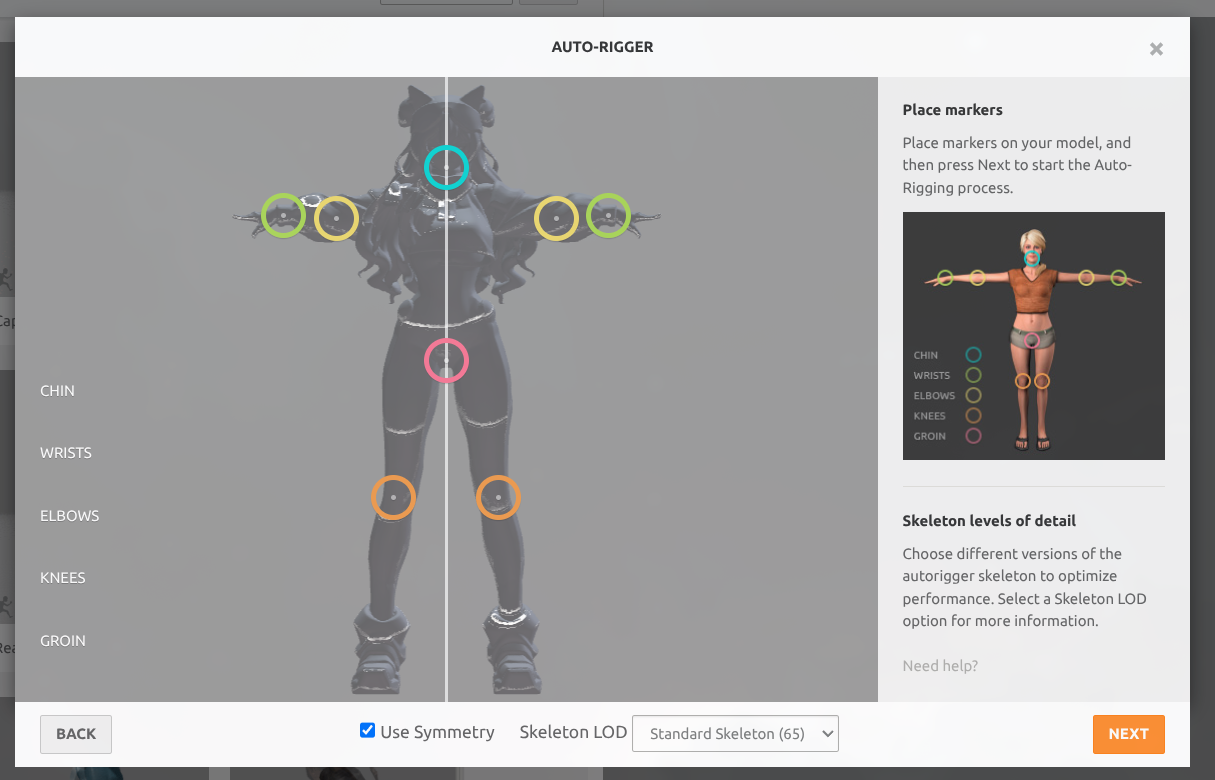
I can upload my model, calibrate the armature/skeleton, and put it in whatever pose I want. Here’s an example:
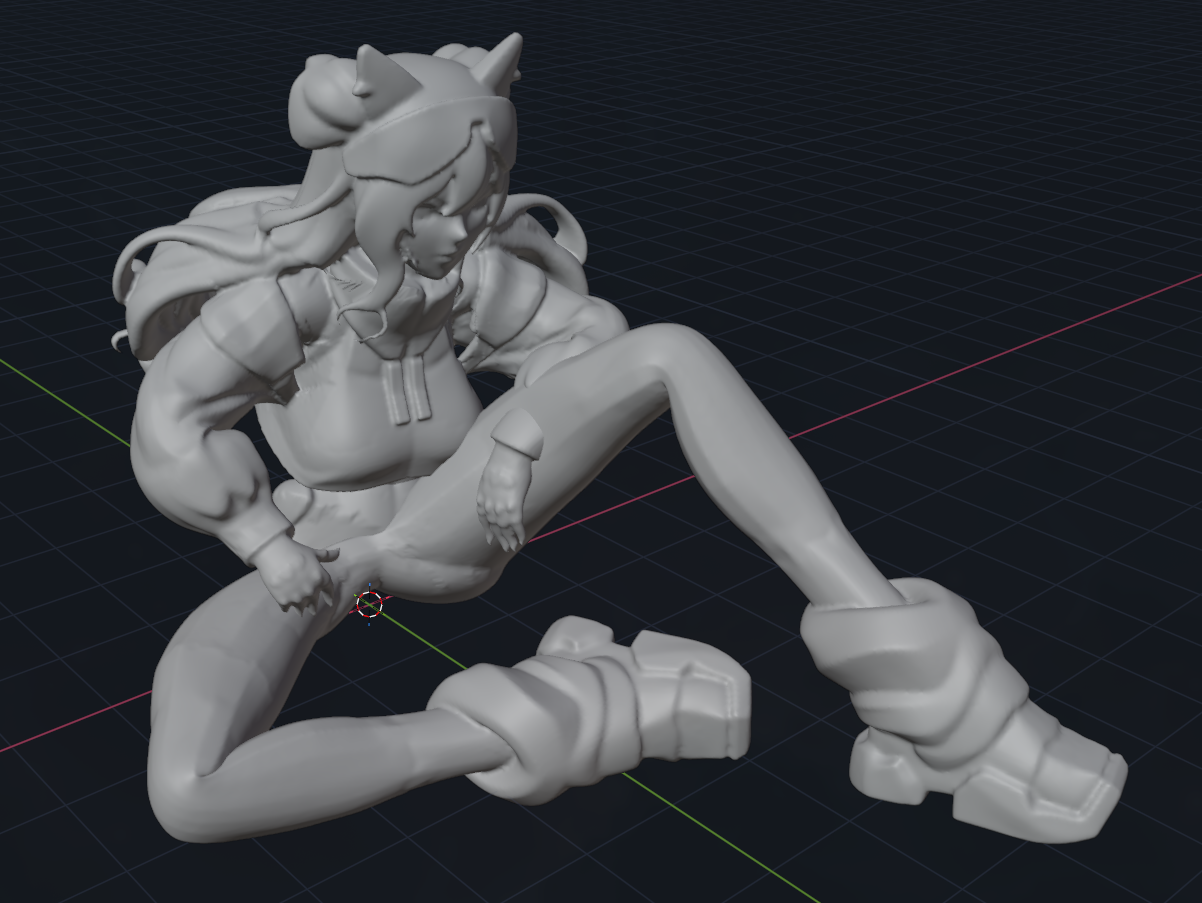
In Blender I can calibrate the weight of parts of the mesh and other details to improve the pose, but 80% of the work is already done automatically. With this I can do animations and much more.
So yes, 3D modeling is already a reality with AI. There are dozens of tools for different use cases and specialties, like texture generation, skeletons, animation.
The main thing: start with a good foundation using Nano Banana like I said, that’s the main trick to make everything else work properly. And keep an eye on Tencent: Hunyuan is the most interesting model.
On the open source side there’s small Hunyuan to run locally and now Trellis2. Also keep an eye on new workflows that use both together in ComfyUI.
On my end, for doing simple things I want to 3D print on my Bambulab X1C, this is already more than excellent!